Public Beta Abisam is out early. It's had a lot of real-world testing and is stable enough for daily use with your library — we're releasing it as a beta while we finish the last features (CD burning, visualizations, and more). Use it now, and your feedback shapes the 1.0.
$20 early-release price (then $45 at 1.0) If you love it, lock in the beta price — buy soon.
Buy now and your license carries through the full v1.0 release and every 1.x update — no second purchase. Only the eventual v2 is ever a paid upgrade.
Your music, curated.
Abisam is a native Mac app for people who love their music collection enough to tend it: tag it, sort it, and know every track. Your library lives on your own machine, under your control, and it's yours to keep.
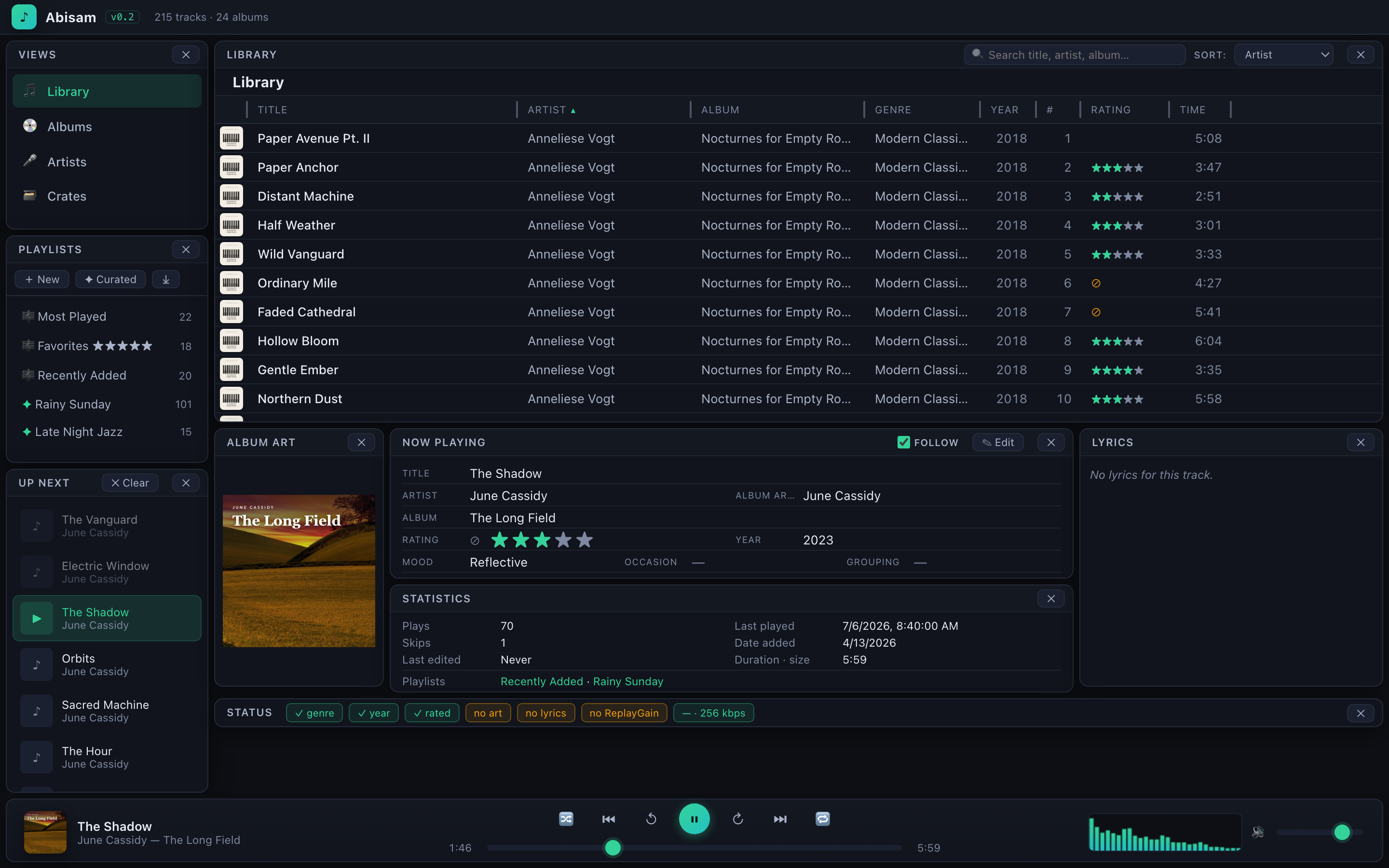 ⤢ Full screen
Today's music apps try to be everything, for everyone.
They stream, they sell subscriptions, some even play video, and yes, they'll play your music too, but through an interface that was never really built around it. A collection you've spent years growing deserves a tool that treats it as the main event, not a side feature.
- 01 Where did my tags, ratings, and playlists go?
- 02 Why is half my library "Unknown Artist"?
- 03 Can everything just stay on my own machine?
- 04 Where's the real home for the music I own?
A serious collection deserves a serious home — one that reads your files, respects your metadata, and never asks you to sign in. Abisam does exactly that job, and keeps every byte on your machine.
We built the music library we wished still existed.
The desktop music player used to be a joy to own: skinnable, powerful, packed with the visualizations and deep tagging tools collectors love. Abisam looks to bring that spirit back, rebuilt native for the modern Mac and focused entirely on your collection. It's a genuine pleasure to live in.
It's for the power collector, the person with hundreds of gigabytes of music, who builds playlists on not just rating or genre, but tempo, mood, and any custom category important to them, and who wants to edit as they listen. It isn't a streaming client or a cloud service. It's a real library manager for a real collection.
No accounts, no ads, no tracking, no subscription. Any time Abisam reaches the internet, say to look up an album, it's because you asked it to. The request goes straight to the source, and nothing routes through us. Your library, your metadata, your machine.
Built by a collector, for people who curate the music they love, not just stream it.
Tag-aware to the core.
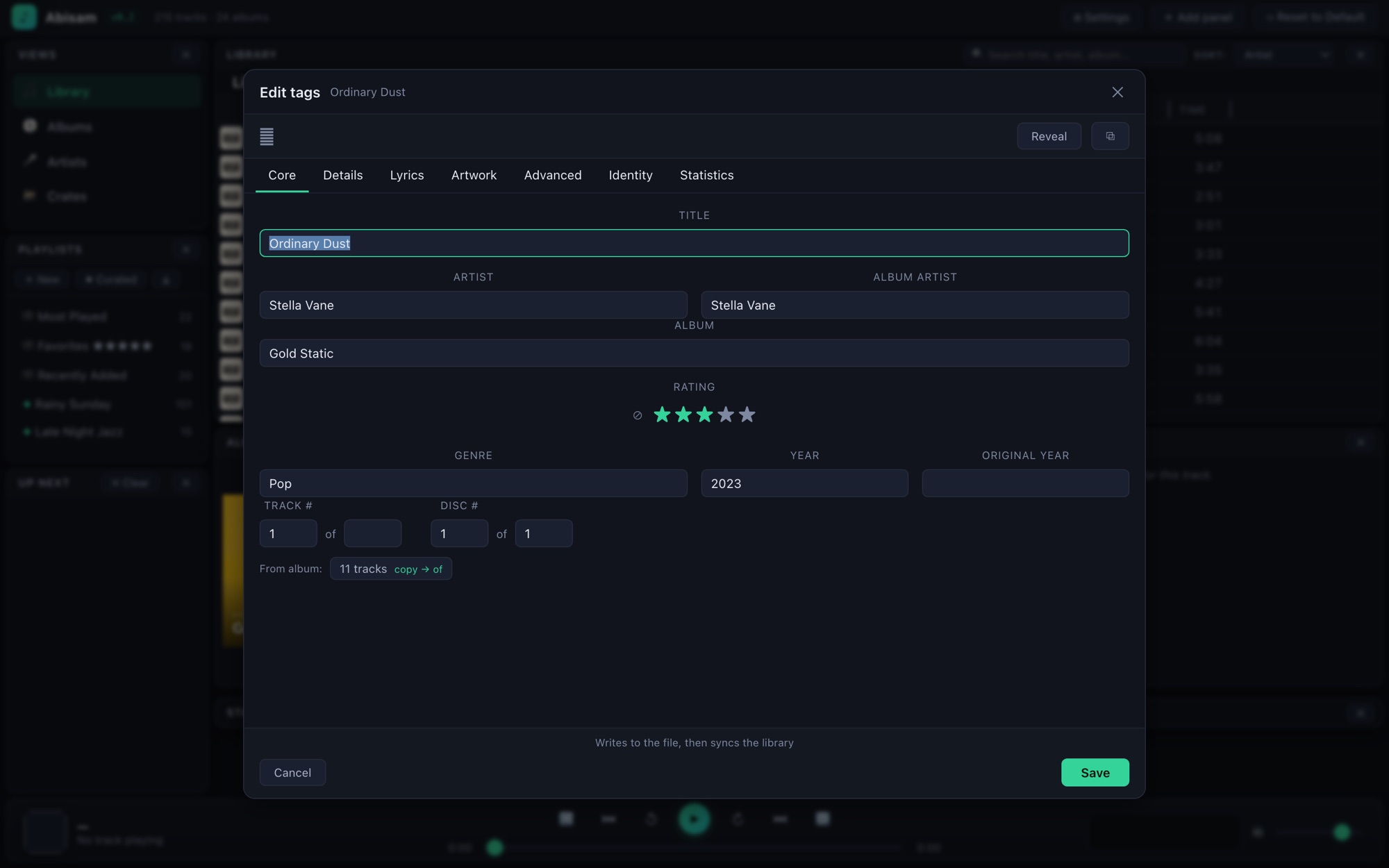
Abisam reads the complete tag set from your files (MP3, M4A/AAC, FLAC, and Ogg), not just the handful most players bother with. Title, artist, album, and album artist, of course, but also ratings, BPM, composer, grouping, lyrics, comments, and embedded cover art.
Edit as you listen
A dedicated cockpit sits beside the now-playing track. Fix a title, set a rating, add a mood, on one track or a whole album at once, and it's saved instantly. Batch-edit a selection, or retag an entire album in a single pass.
Your own fields & vocabularies
Beyond the standard tags, define your own custom fields, like Occasion or Energy, and give them controlled vocabulary lists so your values stay consistent. Type-ahead keeps you from ever fat-fingering "Sountrack" again.
Everything you'd want to filter and build playlists on is a first-class field, and it's all written back into your files, in standard tags other apps understand.
See your collection, every way you think about it.
The same library, however your eye works today: a dense sortable table, a wall of covers, a shelf of crates. Open anything and drill in, with a cover carousel and a layout that bends to you.
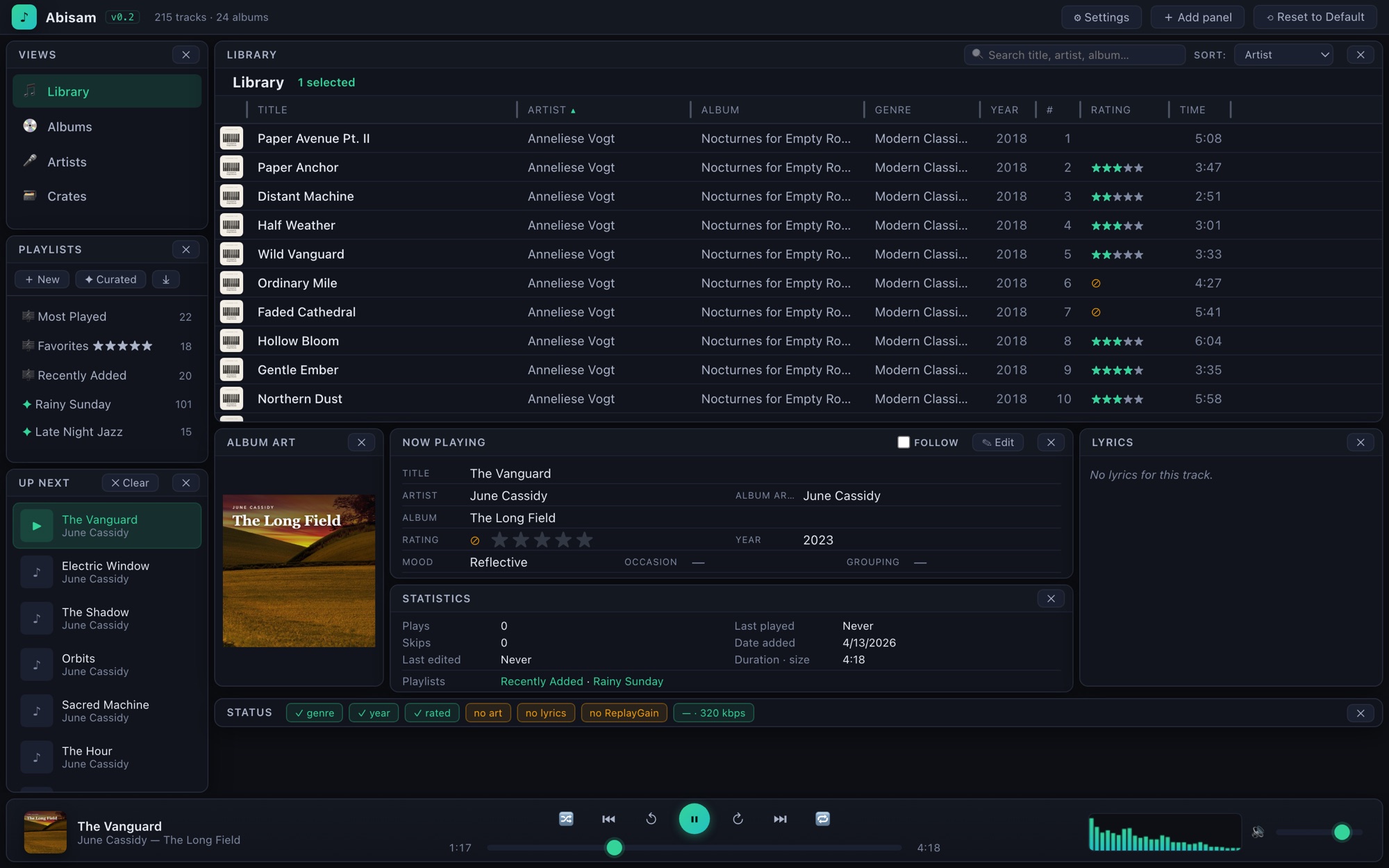
Every track, sortable. Title, artist, album, genre, year, rating, time. Click any column header. The now-playing cockpit stays docked below.
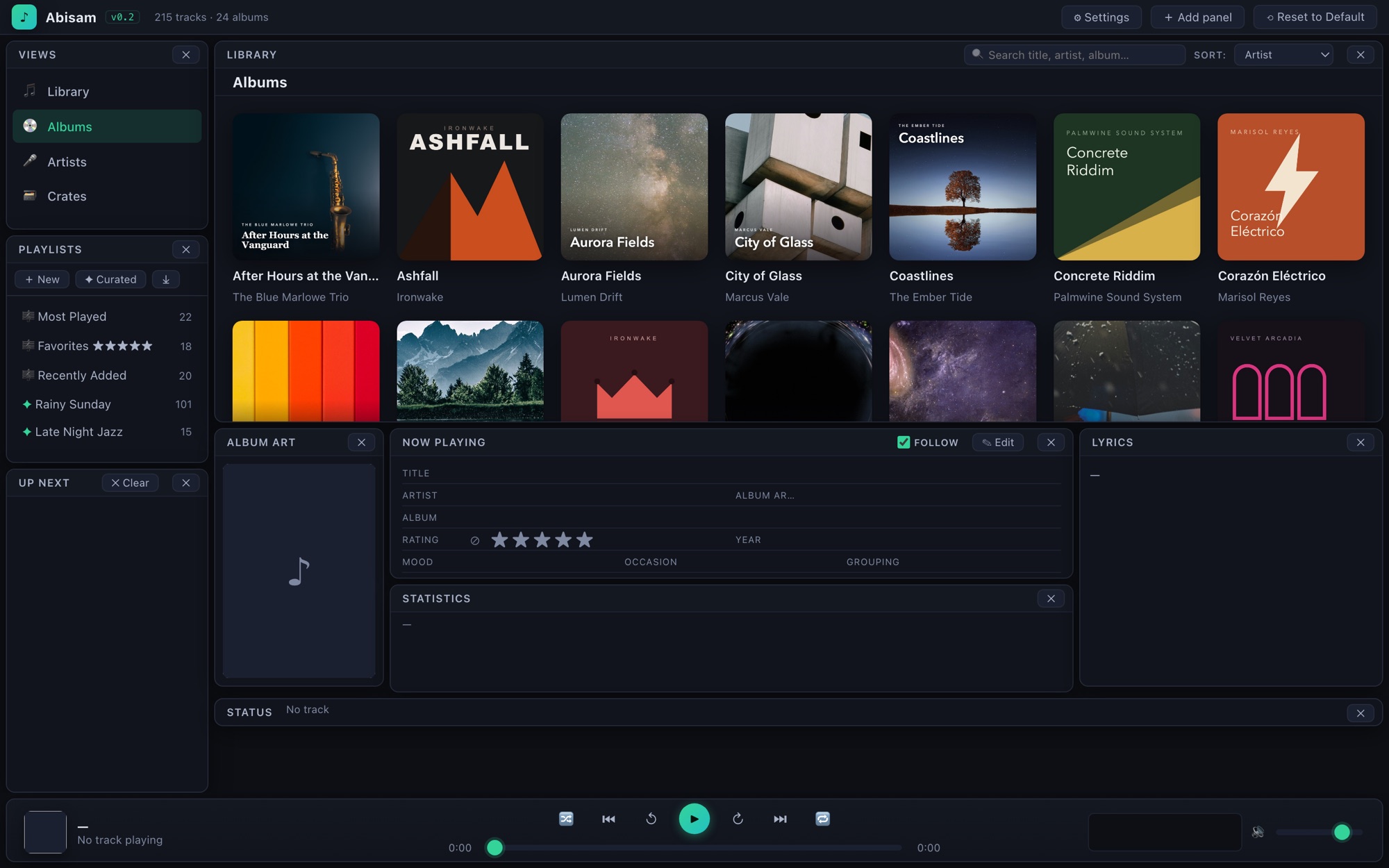
A wall of covers. Your whole collection, covers-forward. Click any album to open it.
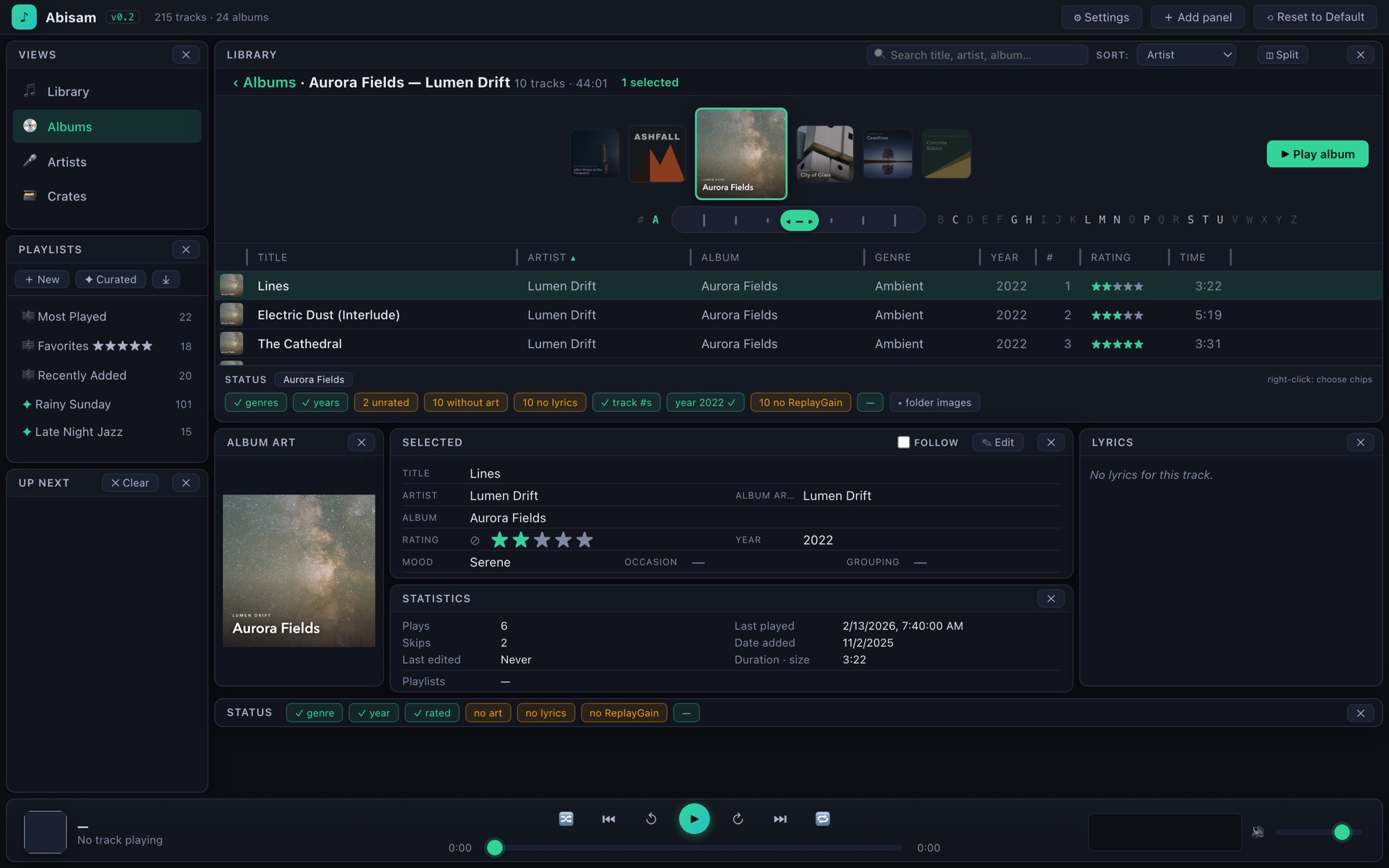
Open an album. A cover carousel with an A–Z jump bar sits above the track list. Play the whole album, or dig into a single track.
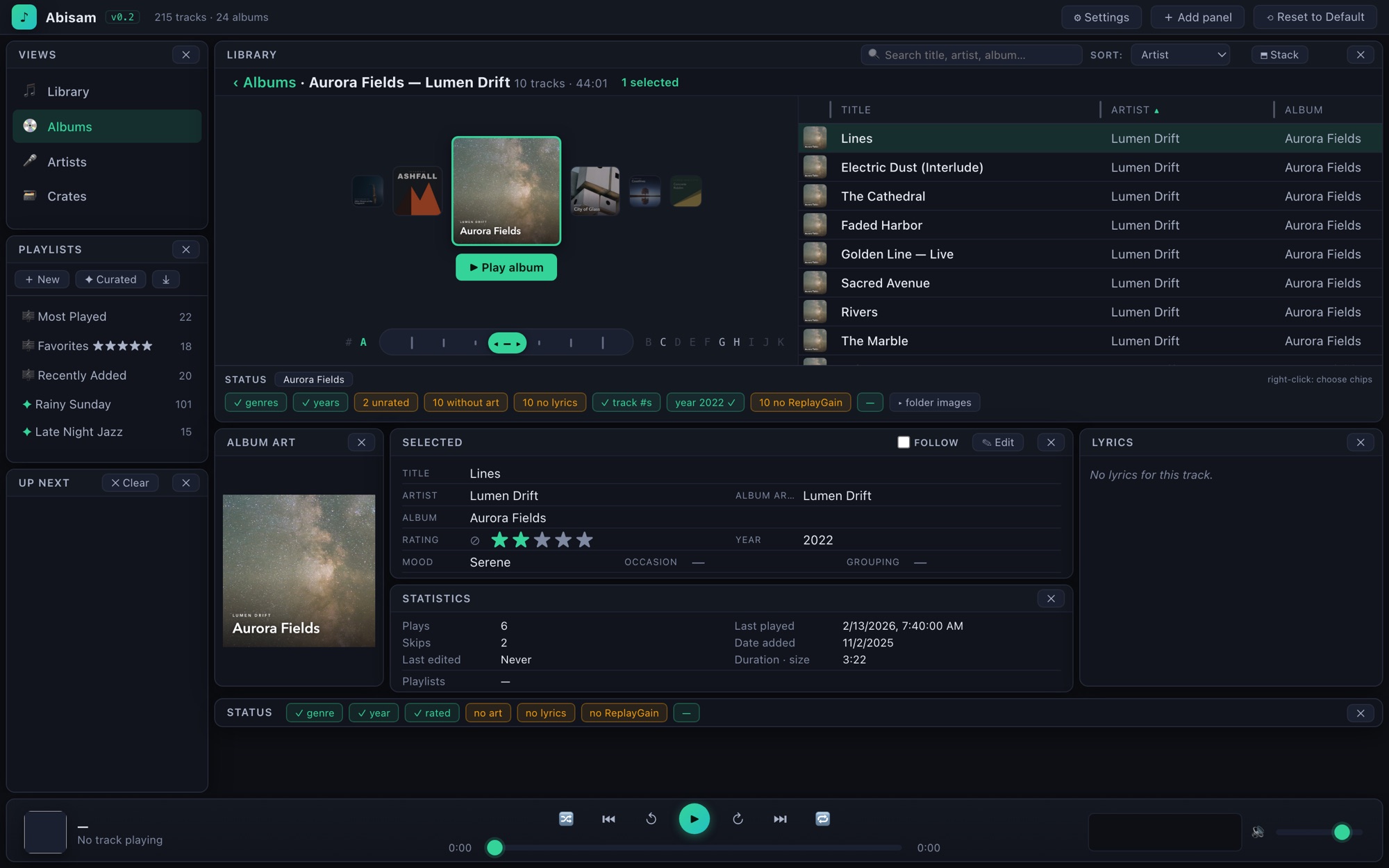
Or split it 50/50. Carousel beside the tracks. The ◫ / ⬒ button in the header switches layouts and remembers your choice.
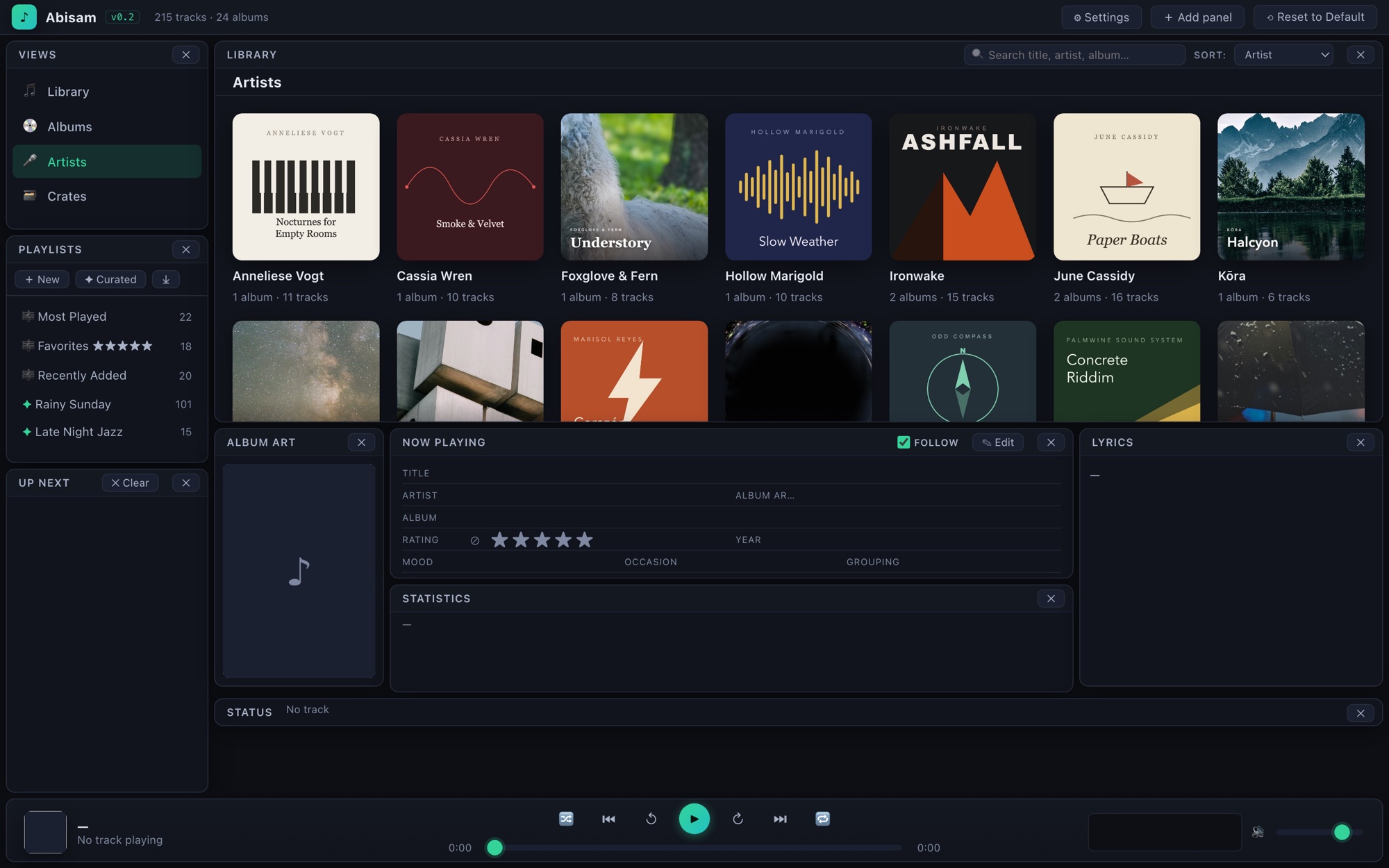
By artist. One card per artist, with the album and track counts at a glance.
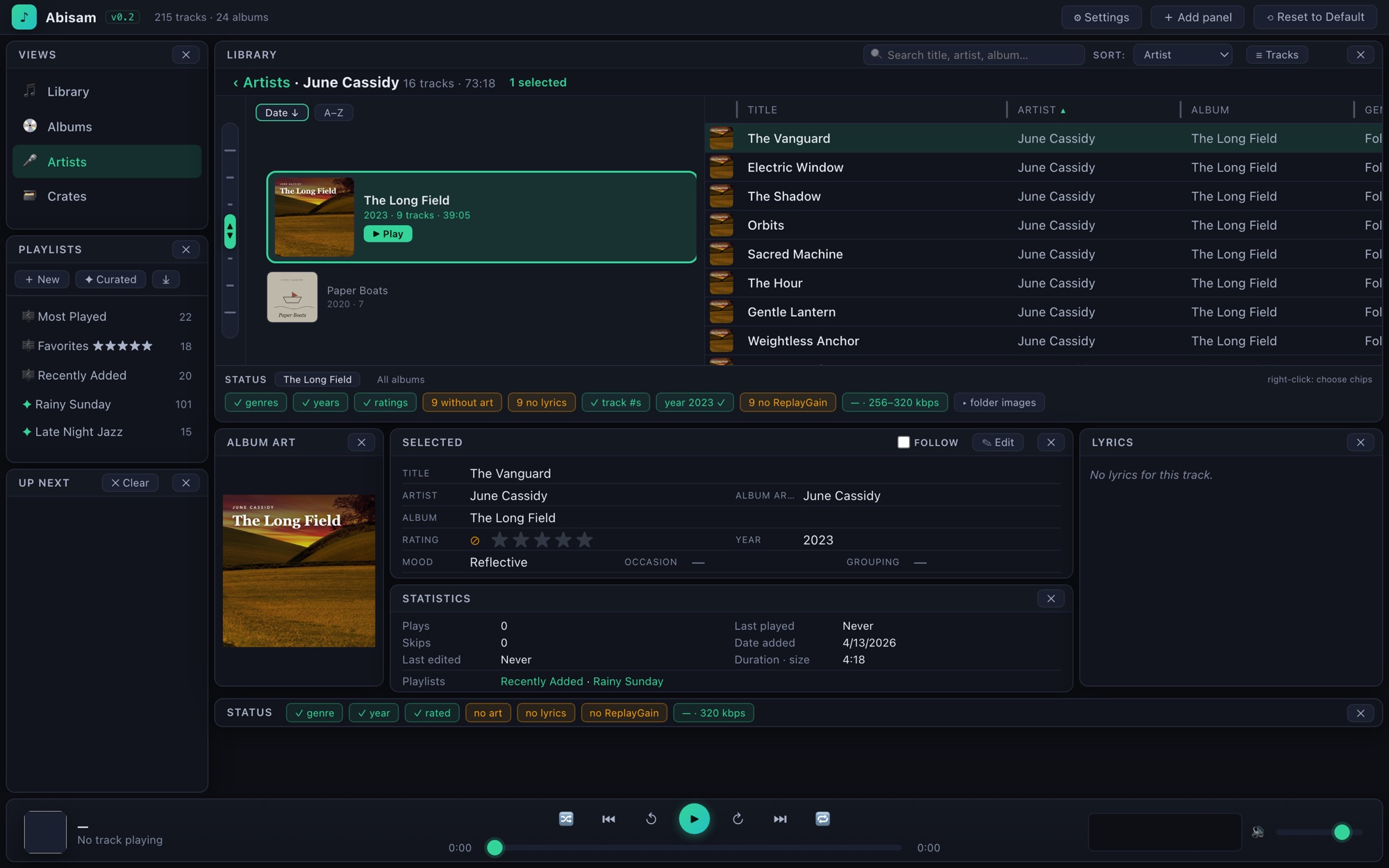
Flip through an artist's records. Their albums ride a cover carousel, the full track list right alongside.
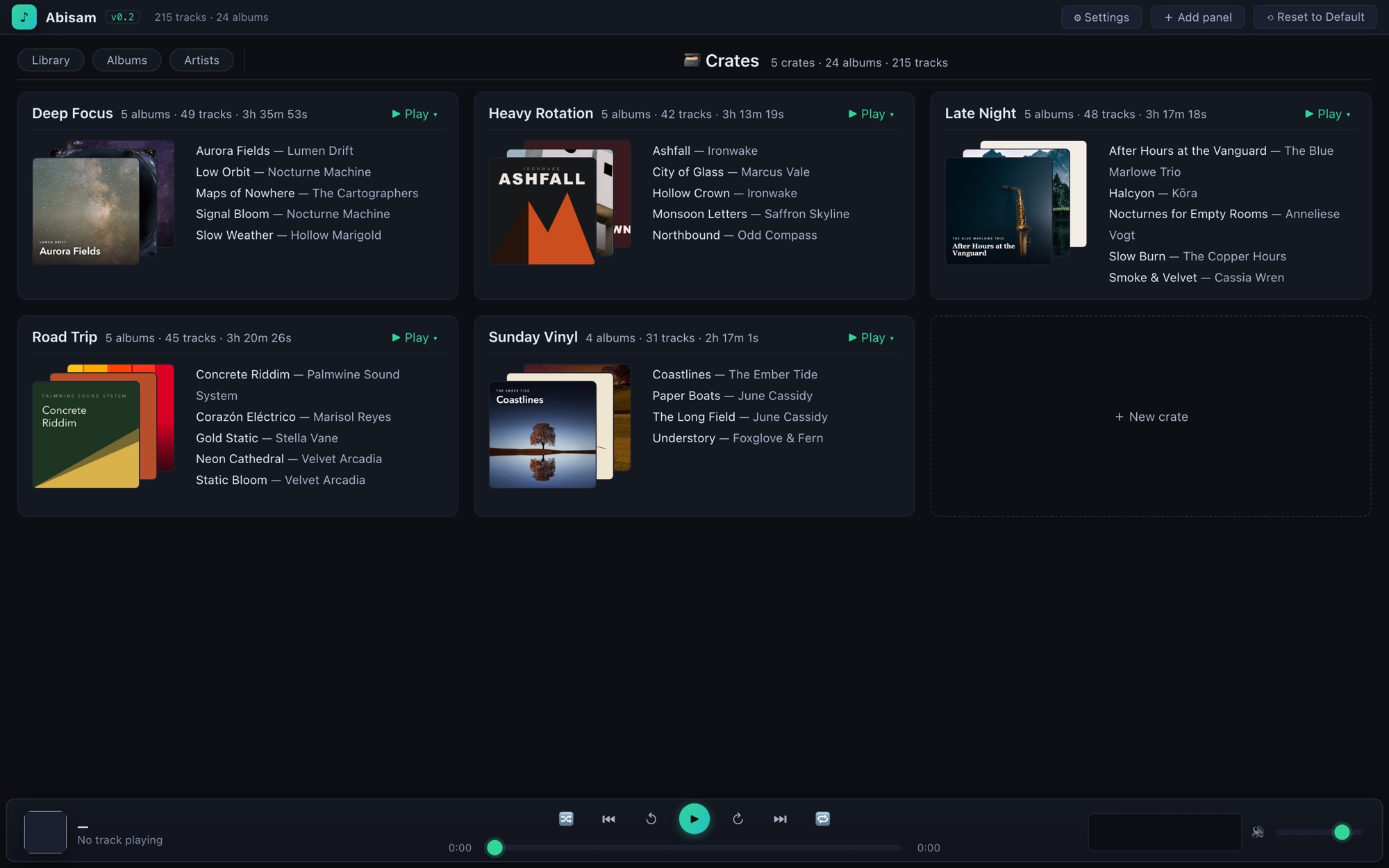
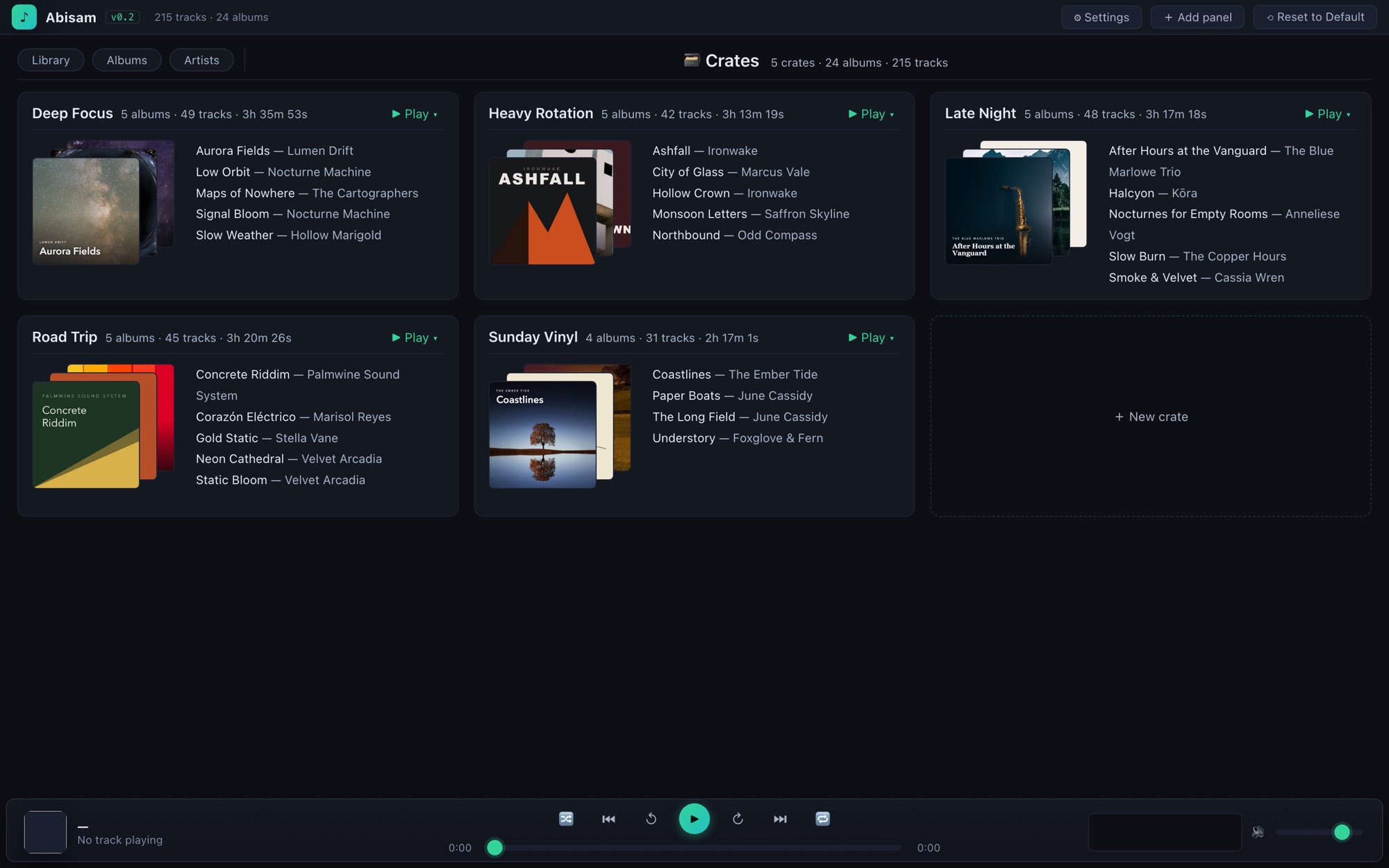
Your own shelves. Hand-picked collections of albums, each with a fanned stack of covers. More on these just below.
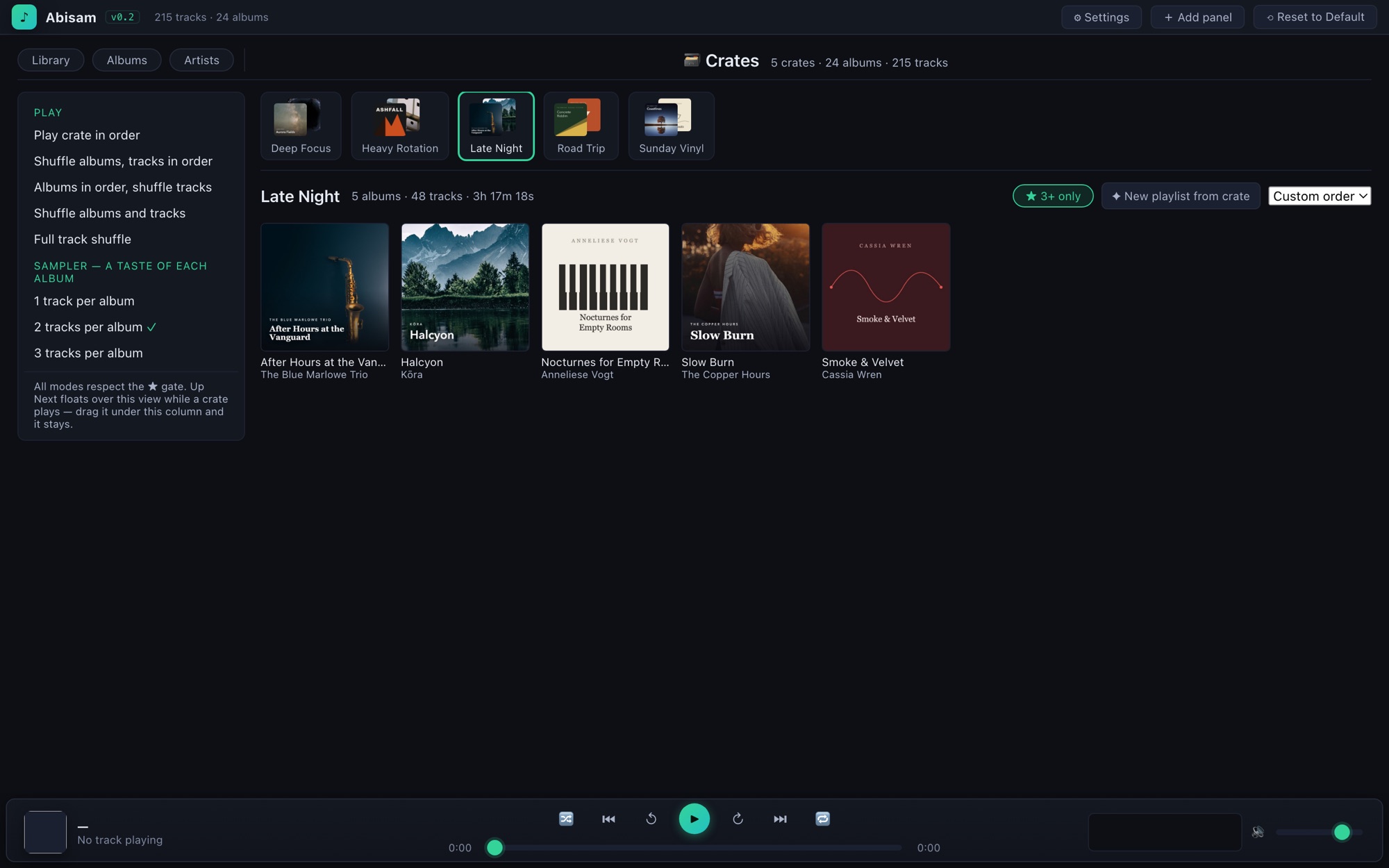
Inside a crate. Play it through, shuffle the albums, or sample a track from each — all with the star-rating gate of your choosing.
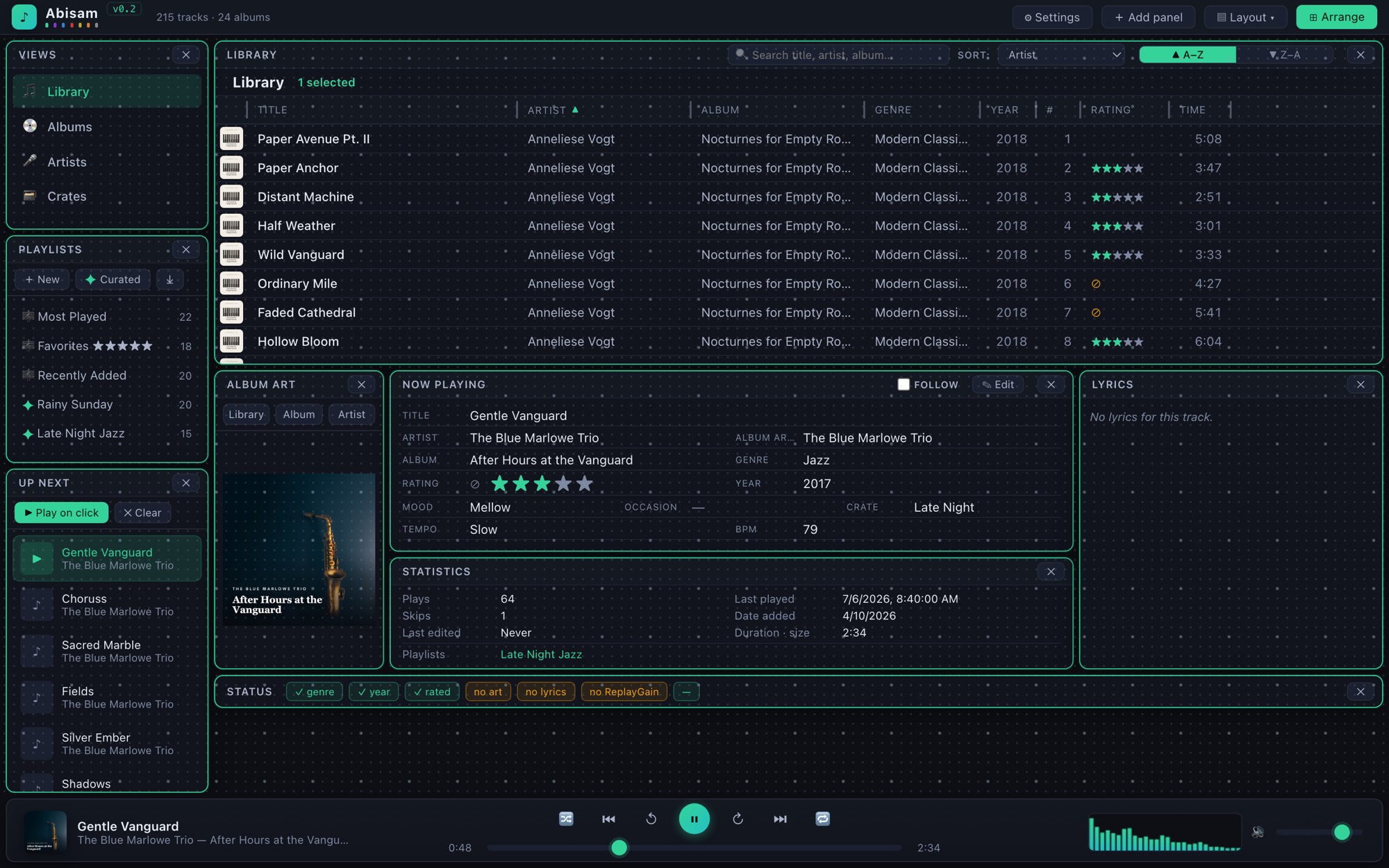
And the whole thing rearranges. Click ⊞ Arrange for the dot grid, drag panels where you want them, save the result as a named layout — then lock it in.
Look for the ◫ Stack / ⬒ Split toggle when you open an album — one click reshapes the layout.
Dig through your collection, crate by crate.
A Crate is a hand-picked shelf of albums, grouped by mood, activity, era, whatever you like. "Sunday Morning," "Road Trip," "Deep Focus." Right-click any album, anywhere, to drop it in.
The Crates view lays them out covers-forward, the way you'd flip through records. Open one and play it straight through, shuffle the albums, sample a track from each, or spin a playlist out of it, all with the rating gate of your choosing. Because a crate is written into your files, it survives a rescan, or even a rebuilt library.
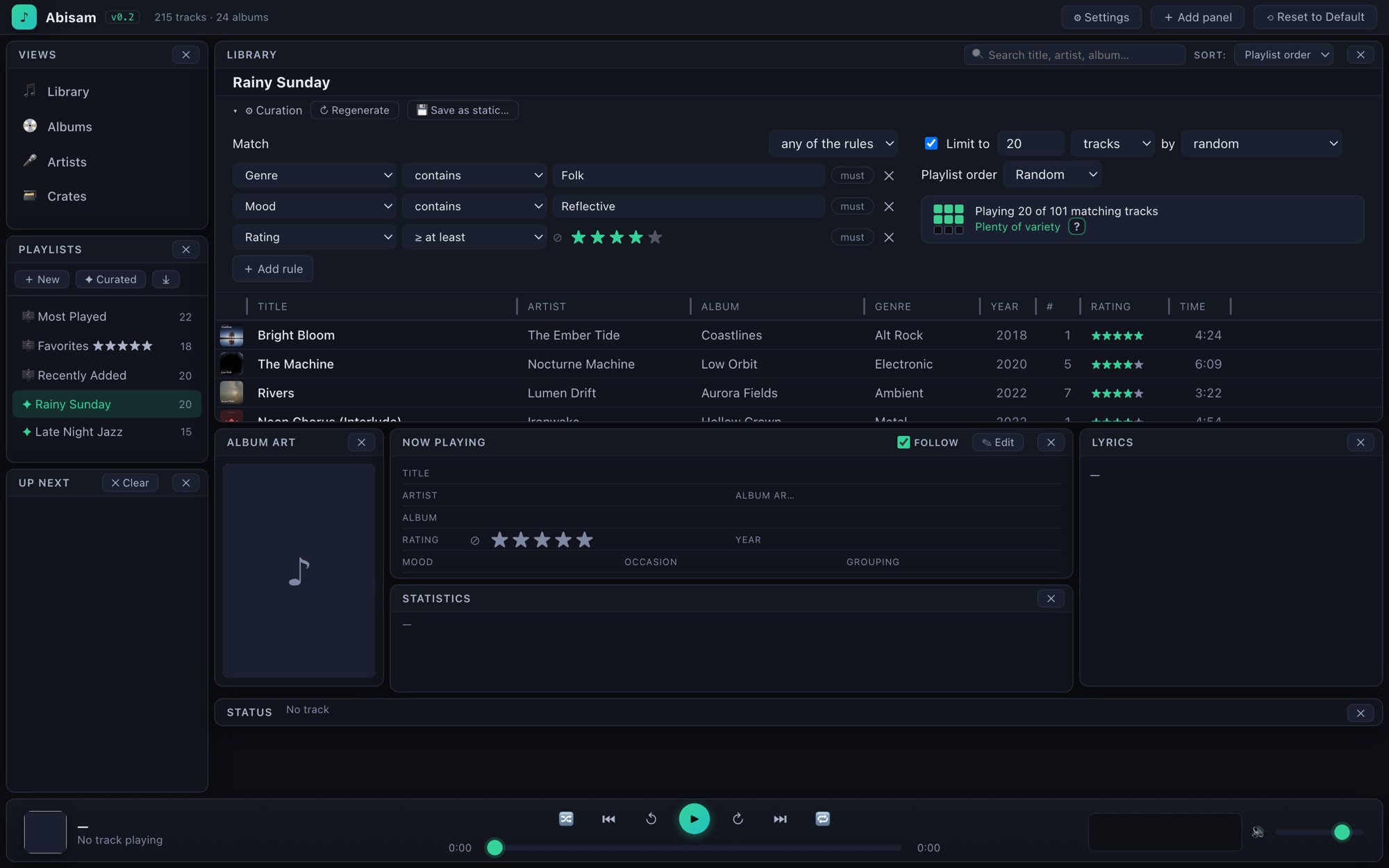
Playlists that build and keep themselves.
Instead of dragging tracks one by one, describe what you want and let the library fill it in. Rating, genre, tempo, mood, play count, last-played, your own custom fields. Combine them however you like.
A live count tells you how much variety the pool holds before you commit, so you know whether re-shuffles will feel fresh or start to repeat. Hit Regenerate for a fresh mix any time, or freeze the current one into a permanent playlist with a single click.

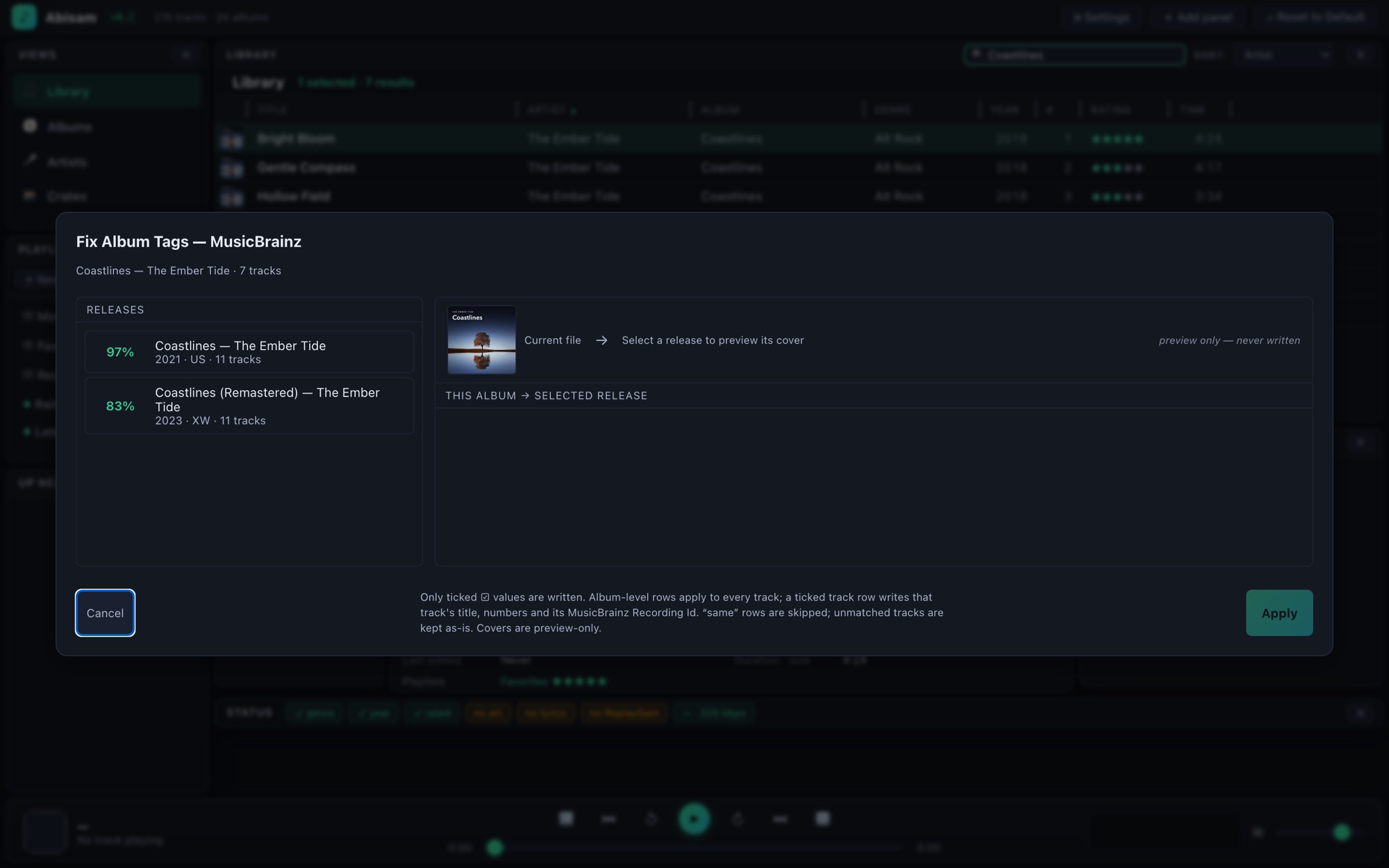
Turn "Unknown Album" into a finished record.
Right-click a mystery track, or a whole album, and Abisam looks it up in the open MusicBrainz encyclopedia and fills in the missing tags for you.
You get a side-by-side sheet: your current tags next to the match, field by field, with cover art from the Cover Art Archive to confirm you've got the right pressing. Tick exactly which fields to apply. Nothing is written until you say so. It's the fastest way to clean up a collection, and every lookup goes straight from your machine to the source.
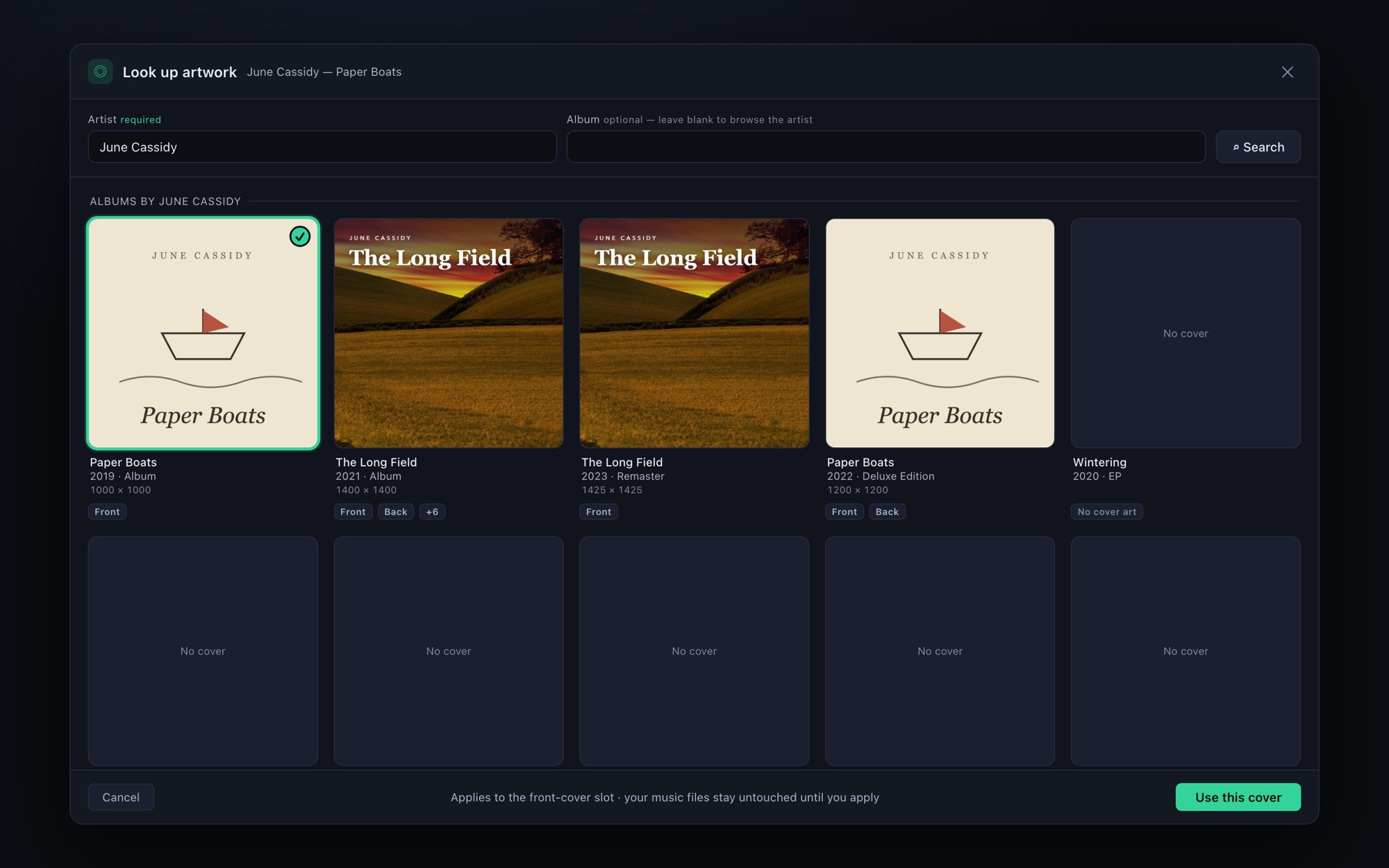
Ripped a CD and lost the cover? Get it back.
Open Look up artwork and Abisam browses the whole artist straight from the Cover Art Archive. It shows every release at a glance, each one telling you exactly what it has: front, back, booklet, or nothing yet.
If the track already carries a MusicBrainz ID, the exact edition comes up first. If it doesn't, type an artist and browse. Click a cover to see every image on that release at full resolution, then apply the one you want to its slot. Your files stay untouched until you say apply.
Fast to work in. Safe with your files.
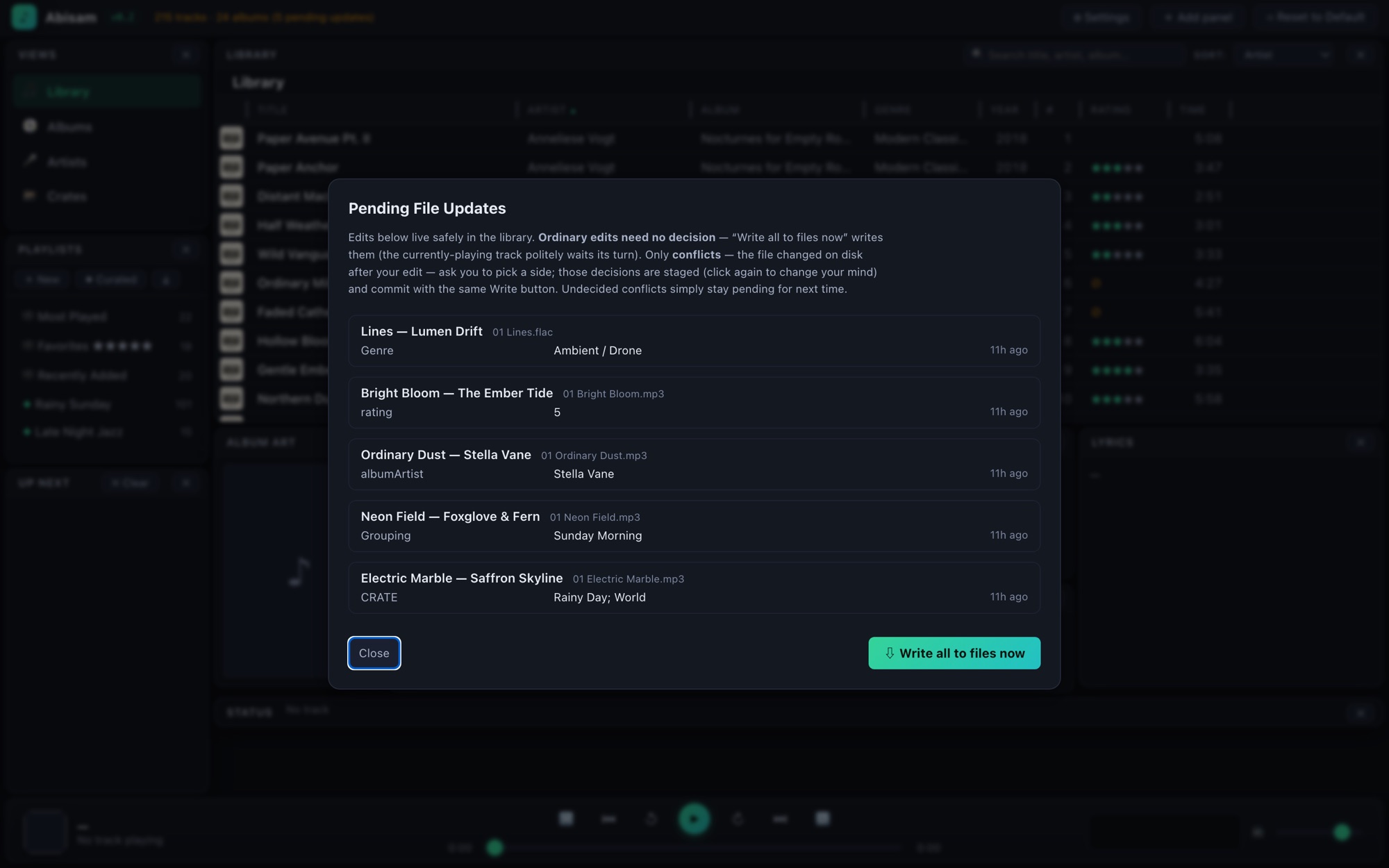
Abisam keeps a local library database so everything is instant, but your edits are always written back into the actual audio files, in the same standard tags every other player reads: ID3 for MP3, iTunes-style atoms for M4A, and Vorbis comments for FLAC and Ogg. Nothing is ever trapped in a format only Abisam can read.
- Edits are instant. Rate a track, fix a tag, and it's saved to the library the moment you do it, with zero waiting.
- Files are written safely. A background writer updates the files themselves a moment later, never while a track is playing, and always finished before the app closes.
- You stay in charge. A pending-updates panel shows exactly what's waiting to be written, catches conflicts if a file changed outside Abisam, and lets you choose which version wins.
- Standard tags, always. Your ratings and fields go into the tags other players already understand. No lock-in, ever.
- Play in place. Your music stays in its own folders. Abisam never copies, moves, or reorganizes your files behind your back.
Nothing lives in a company's cloud. Your collection is always yours to take.
Arrange it, skin it, own the look.
The whole interface is yours to arrange — panels drag, resize, and snap where you want them — and the entire look is yours to shape, live as you pick: the night and day surfaces, all nine accent colors, the three reading colors, even whole panels painted with your own art. Here's how it all works.
Arrange it once. Or keep five layouts on tap.
Click ⊞ Arrange and the workspace shows its bones: a dot grid appears and every panel lights up. Drag, resize, snap — or nudge the selected panel pixel-by-pixel with ⌥ Arrow (add Shift for bigger steps).
Save any arrangement as a named preset under Layout ▾ — a browsing layout, a tag-editing layout, a stripped-down just-play layout — and switch in two clicks. When it's right, lock it in: Panel Lock freezes it exactly as arranged, Bordered Lock settles it flush with visible seams, Borderless Lock melts everything into one seamless face.
Pick a hue. The whole app tunes to it.
Open Colors and set your night and day surfaces, then pick a single hue for each of nine accents. Abisam auto-tunes its depth to whatever surface you chose, light or dark, so a color always sits right. Every change previews live as you pick.
The three reading colors are yours too: primary, secondary, and tertiary text, each with a tonal ramp to nudge lighter or darker, or a hex box for an exact value. Leave them on auto and Abisam keeps them readable against your surface. And if you ever paint yourself into a corner, one click resets everything to the built-in dark.
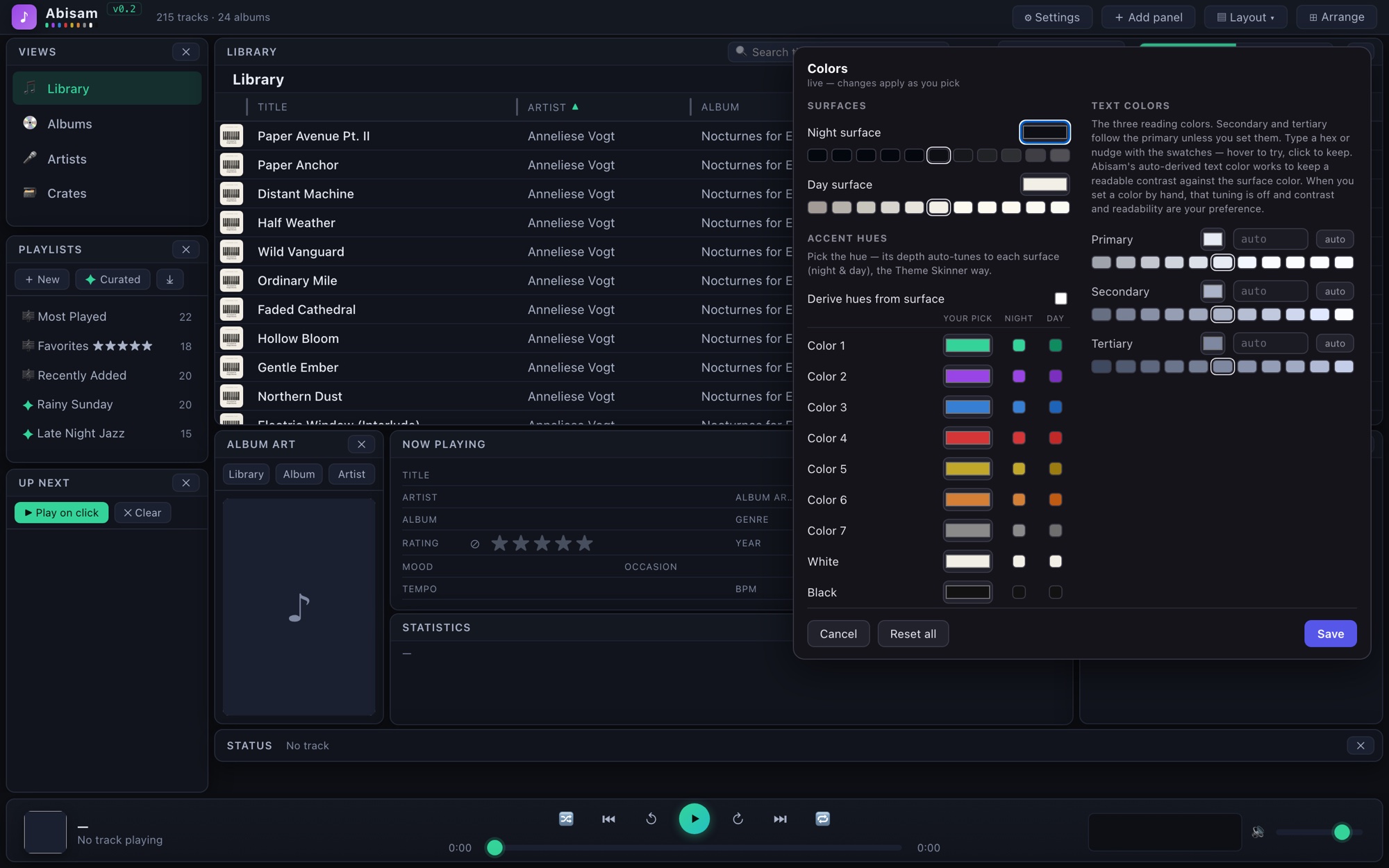
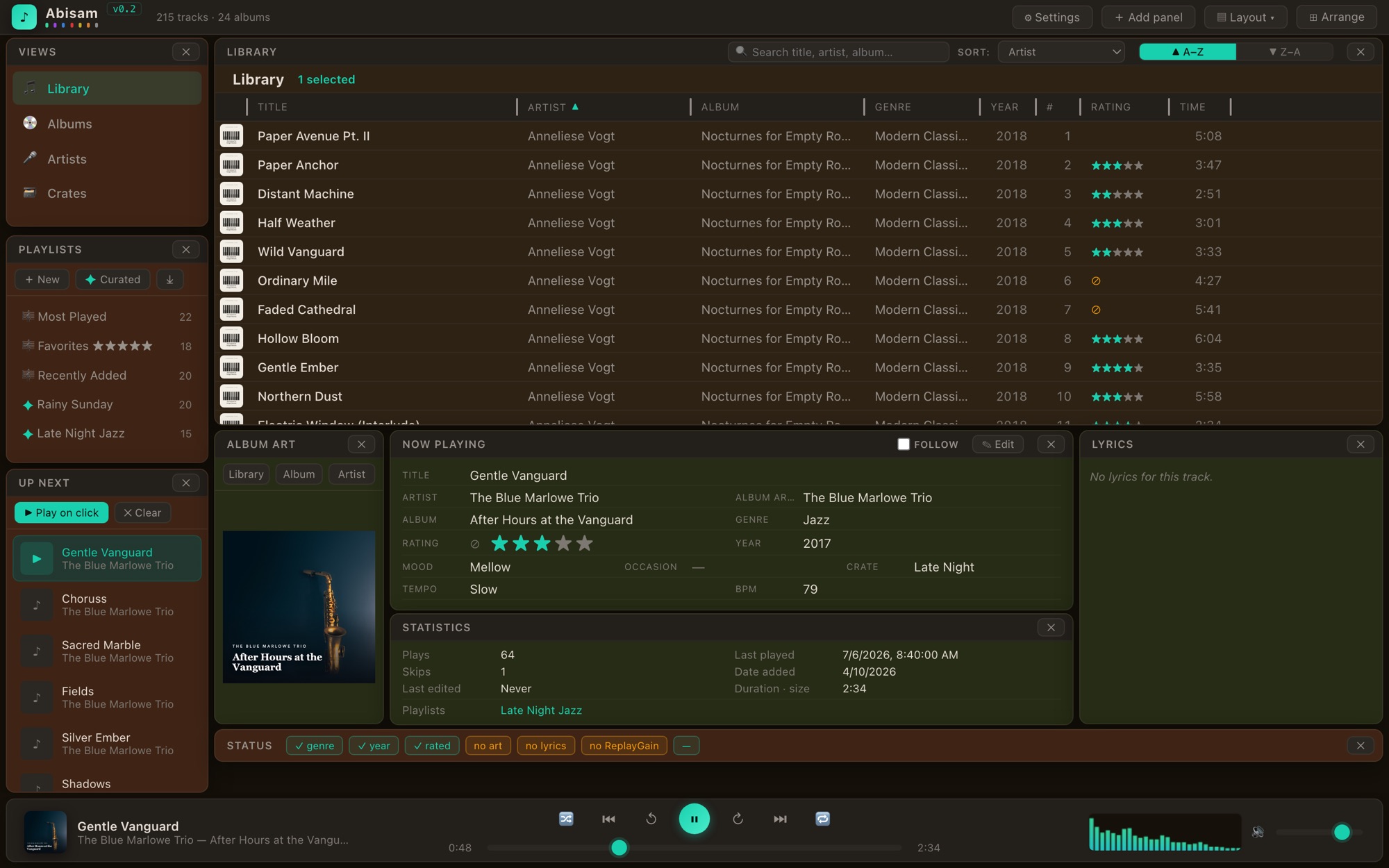
Your library, in your colors.
Right-click any panel and open the background designer: a live map of your whole layout where every zone is paintable — the panels, the app bar, the transport. Select a few, pick a color or drop in an image from your library, and watch the app repaint as you work.
Deep where you want it: title bars tint darker or lighter on a slider, images can cover a whole panel, just its content, or just its header — or run as one image across several panels. And text stays readable on its own: every painted panel re-derives its text colors automatically, so light fills get dark ink and dark fills get light.
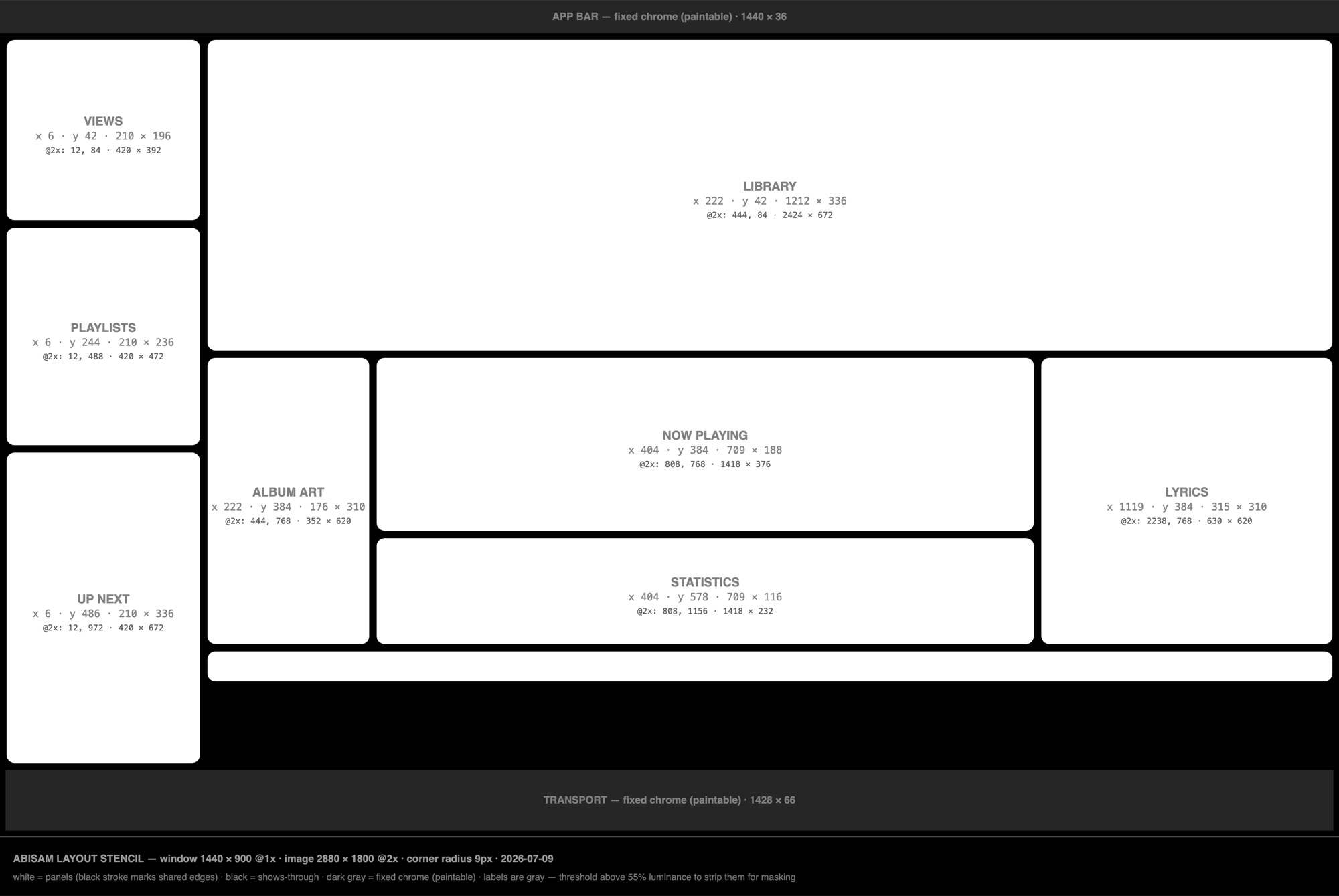
A stencil of your layout, to the pixel.
From the same Layout ▾ menu, Abisam exports a layout stencil — crisp black-and-white maps of your exact arrangement (as-is, and in its flush locked form), every panel measured and labeled, matched to your exact layout and exported at 2× so it stays sharp. Open one in any image editor and design against your real layout.
It's the groundwork for what's coming: background art behind your layout — your library floating over your own artwork. Art you design against a stencil today will drop straight in — the export includes a machine-readable sidecar that remembers every panel's place.
What Abisam is not
What Abisam is
A native, private, deeply capable library manager for people who own their music and want to curate it well. Abisam focuses on playing the audio you want, the way you want it, with tools that are both easy and deep. Nothing about your listening leaves your machine, and that focus is the whole point.
Buy it once. It's yours.
No accounts, no subscriptions, no per-device fees, and your library never leaves your machine. Buy the app once and that version is yours to keep. It never expires.
native macOS app · Apple Silicon + Intel · no install servers · yours to keep
Free for 30 days. Fully functional.
Download Abisam and use the whole app, every feature and your whole library, free for 30 days. No account, no card, no catch. If it earns a place in your setup, buy a license and keep going without missing a beat.
$20 early access, then $45
A single, one-time purchase with no subscription. The version you buy is yours to keep, and it never expires.
30-day full trial · one-time purchase · no subscription · yours to keep
Design your own look — right in Abisam.
No extra app, no files to import. Change the night and day surfaces, all nine accent colors, and the three reading colors live as you pick; paint whole panels with a color or your own art; then save the looks you love as named themes.
Go midnight and moody, warm and vintage, or bright and clean. And if a bold experiment goes sideways, the note logo in the corner is always a double-click away to snap back to the built-in dark.
See how theming works